
- All
- Product Name
- Product Keyword
- Product Model
- Product Summary
- Product Description
- Multi Field Search
Views: 0 Author: Site Editor Publish Time: 2025-09-28 Origin: Site


Is your Dyson DC14 losing power or sparking unexpectedly? A damaged cord can threaten safety and weaken performance. This guide shows how to dyson vacuum cleaner replace power cord dc14 step by step. You'll also learn simple safety checks and warranty notes to ensure a safe, cost-saving repair.
Replacing a power cord may look simple, but skipping safety steps can cause real harm. When you work on a Dyson DC14, keep in mind that the cord connects directly to the power switch. A mistake here could mean shocks, damage, or even fire risk. This section explains how to stay safe, what tools to use, and which risks to avoid when handling a dyson vacuum cleaner replace power cord dc14 project.
Always unplug the vacuum before doing anything. Even when the switch is off, a live cord can still shock you. After unplugging, wait a few minutes to make sure any residual charge clears. Never attempt cord removal while the DC14 is connected to power.
To handle this job effectively, gather these items first:
● T15 Torx screwdriver – needed for the switch cover screws.
● Replacement Dyson DC14 power cord – ensure it matches your model.
● Small pliers or needle-nose pliers – useful for gripping connectors.
● Optional: penetrating oil – helps if connectors feel stuck.
Having the right tools ready avoids delays and prevents mistakes.
When handling wires, avoid pulling on the cord itself. Grip the connectors firmly to detach. Forcing the wires can damage terminals inside the switch. Also, watch for incorrect alignment when reconnecting wires. The terminals are designed to fit only one way. If installed incorrectly, the vacuum may fail to start or spark during use.
A second risk is not feeding the cord through the grommet. Skipping this step leaves the wire unprotected and may shorten its lifespan. Over time, that can expose live wires and create a hazard.
Another common mistake is overtightening screws. Too much pressure can crack plastic parts around the switch cover, making future repairs harder.
Before you remove or reconnect anything, it's important to prepare the vacuum for a smooth process. Setting up correctly reduces errors and keeps parts secure. When working on a dyson vacuum cleaner replace power cord dc14 project, good preparation makes the difference between an easy repair and a frustrating one.
Start by lifting out the dustbin and the telescopic wand. This clears your workspace and gives you direct access to the upper housing. Place the dustbin aside in a safe area where it will not tip over. Removing these large pieces first also makes the vacuum lighter to handle during repair.
Next, identify the switch housing near the handle area. Look for the two Torx screws that secure the cover. These screws keep the switch and wiring hidden inside. By spotting them early, you’ll know where to begin once you have tools in hand. Make sure the vacuum is steady and upright before you continue.
As you remove screws and small clips, keep them organized. Using a small tray, magnetic mat, or even labeled cups helps. Mixing screws during reassembly is one of the most common mistakes. A simple organization system saves time and ensures each screw returns to its original place.
This section walks you through the exact repair process. By following these steps, you can complete a dyson vacuum cleaner replace power cord dc14 task safely and correctly. Each step is designed to prevent mistakes and ensure the vacuum works as intended.
Locate the two Torx screws on the top side of the handle. Use a T15 screwdriver to loosen and remove them. Once removed, place the screws in a safe container. This will free the switch cover, which protects the wiring inside.
On the upper edge of the cover, push outward on the two plastic clips. These clips hold the cover tightly in place. Use a flat tool or your thumb, but apply gentle pressure. Too much force may crack the plastic, making it harder to reseal.
With the cover removed, you’ll see the power switch and its terminals. Hold the connectors firmly and pull them away from the switch. Do not tug on the wires themselves. Pulling wires can cause internal damage and lead to poor connections later. If connectors are stiff, apply a drop of penetrating oil and wait a moment.
Insert the new cord through the original grommet. The grommet protects the wire from bending and rubbing against sharp plastic edges. Ensure the cord sits firmly in place and passes through the same path as the old one. Skipping this step can reduce cord life and create a hazard.
Attach each wire to its matching terminal. Orientation matters here: the spade connectors only fit one way. If forced, they may bend or fail to make proper contact. Confirm that the longer wire reaches the far terminal and the shorter wire connects to the closer one. A secure fit avoids sparks or loose connections during operation.
Align the switch cover back into position. Clip the plastic tabs in first, then tighten the Torx screws until snug. Do not overtighten, as the plastic housing may crack. Double-check that the cover sits flush with the frame.
Slide the wand back into the hose slot and reinstall the dustbin. Both pieces should click firmly into place. This restores the vacuum’s normal structure and prepares it for testing.
Step | Action | Key Reminder |
1 | Remove switch cover | Store screws in tray |
2 | Release plastic tabs | Apply gentle pressure |
3 | Disconnect old wires | Pull connectors, not wires |
4 | Thread new cord through grommet | Prevent wear and fire risk |
5 | Connect wires to switch and terminal | Match orientation, secure firmly |
6 | Reinstall cover and screws | Tighten only until snug |
7 | Reassemble wand and dustbin | Listen for click to confirm placement |
Note: For repair shops, documenting each step with photos during disassembly makes training new staff faster and reduces reassembly errors.
Once the new cord is installed, testing ensures your Dyson DC14 works safely. Skipping this step could leave loose wires or a faulty connection unnoticed. Here's how to confirm that your dyson vacuum cleaner replace power cord dc14 project was successful.
Before plugging in, check the switch cover and screws. They should sit flush with the body and show no gaps. Tug the cord gently at the grommet. If it shifts or feels loose, reseat it before continuing. Also inspect connectors through the housing window if visible. Secure placement prevents arcing and extends cord life.
Move the vacuum to a flat, dry surface away from children. Plug it into a grounded outlet. Press the power button once and listen for smooth startup. No unusual sounds, sparks, or flickers should appear. Let it run for 30 seconds to confirm steady operation. If it shuts off unexpectedly, check wiring again.
Watch for these common issues after replacement:
● Sparks near the switch area – may signal loose connectors.
● Cord feels warm – improper seating at the grommet.
● Vacuum won't start – reversed or incomplete wiring.
● Cover rattles or lifts – screws may be overtightened or misaligned.
If any of these occur, unplug immediately. Reopen the housing and inspect the wiring path. A careful recheck usually resolves minor problems.
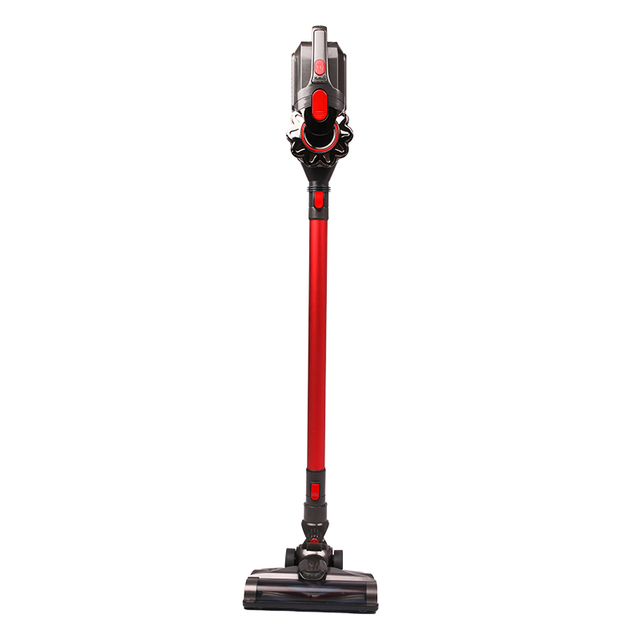
Even after careful installation, problems may appear. Addressing them quickly ensures your Dyson DC14 works as expected. This section helps you spot and fix common faults after completing a dyson vacuum cleaner replace power cord dc14 repair.
If the vacuum stays silent, check the power switch first. Loose or reversed connectors often cause this issue. Open the switch housing and inspect both terminals. Confirm each spade connector sits firmly and in the correct orientation. If one wire seems short, it should connect to the closer terminal. Testing the outlet with another device is also wise before assuming the cord is faulty.
A cord that wiggles in the grommet or feels warm during use signals poor fit. Reseat the cord through the rubber grommet and tighten nearby fittings. Overheating often comes from friction or an incomplete seal. If the cord continues to heat up, unplug immediately. Replacing the grommet is safer than forcing a damaged one to hold.
Some issues go beyond simple checks. If sparks persist or the vacuum repeatedly loses power, stop using it. Contact Dyson service or an authorized repair center. They have tools to test deeper electrical faults, such as switch failure or damaged internal wiring. Using a machine with unresolved cord issues risks safety and voids warranty coverage.
Replacing a cord solves one problem, but proper care prevents new ones. Extending cord life reduces future repairs and keeps your dyson vacuum cleaner replace power cord dc14 effort worthwhile. Simple habits can protect the cord from wear and electrical faults.
Always wrap the cord loosely around the hooks on the back of the DC14. Keep the wind tight enough to avoid dangling but never stretch the cord. Sharp coils or rushed wrapping create stress points. When storing the vacuum, avoid trapping the cord under heavy objects. Safe wrapping habits lower the risk of cracks or breaks.
Pinches usually occur near doors, furniture, or corners. A single pinch can weaken insulation. Keep the cord away from sharp bends or tight angles. Instead, let it rest in wide curves. Never pull the vacuum by its cord. Using the cord as a handle is one of the fastest ways to shorten its lifespan.
Inspect the cord every few months. Look for frays, cuts, or flat spots along its length. Pay special attention to the section near the plug and grommet, as these areas bend most. If damage appears, stop using the vacuum until repaired. Regular inspection helps catch small problems before they become hazards.
Task | Why It Matters | Best Practice |
Wrap cord properly | Prevents strain and cracks | Loop loosely around hooks |
Avoid pinches and bends | Stops insulation damage | Keep curves wide, not tight |
Inspect for wear often | Detects frays before hazards | Check cord every 2–3 months |
One big reason people learn repairs is cost savings. Choosing to do a dyson vacuum cleaner replace power cord dc14 project at home saves both money and time. While shops charge for labor, DIY only requires a few tools and a new cord.
Repair shops often charge for parts plus hourly labor. Costs may range from $80 to $150 for a cord replacement (needs verification). In comparison, a new Dyson DC14 cord usually costs much less. With the right screwdriver and pliers, you can complete the work yourself. The savings often pay for the tools after just one repair.
Most replacements take under half an hour. Once the dustbin and wand are removed, the steps are straightforward. Releasing the switch cover, replacing the cord, and reassembling the vacuum rarely take more than 30 minutes. Even first-time users usually finish within this time. Professionals may complete it faster.
Fixing your own vacuum builds skill and confidence. Once you complete one repair, others become easier. Basic tasks like replacing filters, clearing blockages, or maintaining the brushbar are less intimidating. Over the life of the machine, this knowledge can save hundreds in repair costs. It also reduces downtime, especially in workplaces that rely on vacuums daily.
This guide explained how to complete a dyson vacuum cleaner replace power cord dc14 project safely. It highlighted the importance of using correct tools and following each step with care. Regular maintenance keeps the Dyson DC14 efficient and extends its service life. Suzhou SNDVAC Electric Appliance offers reliable products and support, helping users and businesses achieve better durability and value.
A: You need a T15 Torx screwdriver, replacement cord, and small pliers.
A: Most replacements take 20–30 minutes for first-time users.
A: Check the connectors and ensure the new cord is seated in the grommet.
A: Yes, DIY saves labor costs and usually costs only the price of a cord.
A: Inspect every few months, especially near the plug and grommet.


