
- All
- Product Name
- Product Keyword
- Product Model
- Product Summary
- Product Description
- Multi Field Search
Views: 0 Author: Site Editor Publish Time: 2025-10-10 Origin: Site


Have you ever misplaced your dyson vacuum cleaner manual? Without it, setup and safe use become harder. Many owners overlook vital maintenance steps that shorten the machine's life. In this article, you'll learn where to find digital manuals and how to use key instructions to keep your Dyson running strong.
Finding a dyson vacuum cleaner manual quickly saves time and ensures proper use. Many users misplace the paper booklet, but Dyson offers multiple digital solutions. These resources make it simple to access setup, safety, and troubleshooting guidance anytime.
The Dyson website is the primary source for manuals. By entering your vacuum’s model number or serial number, you can download the correct guide instantly. The support section also includes how-to videos and FAQs that expand on manual content. This ensures you always have updated instructions.
Most newer Dyson vacuums include a QR code printed on the body or packaging. When scanned using a smartphone, it links directly to the digital dyson vacuum cleaner manual and setup videos. This feature eliminates the need to search online manually. For households with multiple models, scanning avoids confusion and ensures accuracy.
PDF manuals are available for every major Dyson model. These can be downloaded from the official site and stored on a phone, tablet, or laptop. A digital PDF makes it easier to search for keywords like "filter cleaning" or "blockage". Keeping a copy offline also helps during service calls when internet access may be limited.
Access Method | Benefits | Best For |
Dyson Website | Always updated, includes videos & FAQs | All users needing quick info |
QR Code on Machine | Direct link to correct model manual | First-time setup and warranty |
PDF Download | Easy to store and search offline | Technicians and daily users |
The Dyson app provides manuals, service reminders, and maintenance tips. Once you register your device, the app automatically links the correct manual to your account. Notifications remind you to wash filters or check for blockages. For B2B facilities using multiple Dyson vacuums, the app centralizes all guides in one dashboard.
If digital access is difficult, Dyson's customer care can send a replacement manual. Support staff may also email a PDF directly. When contacting support, keep your serial number and purchase details ready. This ensures faster service and avoids mistakes in model identification.
A dyson vacuum cleaner manual does more than explain features. It highlights safety steps every user should follow. These guidelines protect people, pets, and the device itself. Ignoring them can shorten product life or cause serious hazards.
Dyson vacuums run on high-power motors, making electrical safety critical. Always unplug before cleaning or handling attachments. Do not use damaged cords or plugs, and avoid placing cables near heat sources. The manual also warns against vacuuming liquids or flammable materials, which can cause fire.
Safety Focus | Action Required | Risk if Ignored |
Electrical handling | Keep cords untangled, unplug safely | Electric shock, short circuit |
Fire prevention | Avoid combustible liquids or hot ash | Fire, severe damage |
Appliance condition | Stop using damaged units | Shock or overheating |
The Dyson manual states the vacuum should never be treated as a toy. Children need supervision when the machine is nearby. Loose hair, clothing, or curious fingers can get caught in brush bars. Pets may be frightened or harmed if the vacuum is misused around them.
Cord-free models rely on lithium-ion batteries. The dyson vacuum cleaner manual includes specific charging ranges (10°C to 30°C). Overheating or charging near moisture can damage the battery or trigger fires. Only genuine Dyson chargers and batteries should be used. Replacing with non-certified parts risks performance failure and legal warranty issues.
The manual lists several avoidable mistakes:
● Using the vacuum outdoors or on wet floors.
● Pulling the machine by its cable.
● Overfilling the dust bin above the MAX line.
● Applying scented products to filters, which may ignite.
Each of these actions increases wear, reduces efficiency, or creates safety hazards. Users are reminded that misuse may void the warranty.
Note: For commercial cleaning teams, training staff to follow these manual instructions reduces liability and equipment downtime.
The dyson vacuum cleaner manual provides clear guidance to set up your machine safely. Following these steps ensures maximum performance from day one. Owners often skip basic setup steps, but proper assembly, charging, and storage protect both motor and battery life.
Most Dyson vacuums arrive partly assembled. The manual shows how to:
● Attach the wand securely to the main body.
● Connect the chosen cleaner head.
● Lock tools into place for immediate use.
It is important to hear a firm click when each part connects. A loose fitting may reduce suction or cause air leaks. Keep the manual nearby during this step for model-specific diagrams.
Before first use, Dyson recommends a full charge. The display will show battery level in percentages. Charging helps the internal system learn battery capacity for more accurate run-time tracking.
Dyson models often feature three power modes:
● Eco mode: Longest run time for daily cleaning.
● Auto/Med mode: Balanced performance across carpets and hard floors.
● Boost mode: Short bursts of strong suction for stubborn debris.
Selecting the correct mode prevents wasted energy and avoids unnecessary strain on the motor. The dyson vacuum cleaner manual explains when to use each mode effectively.
The docking station makes storage and charging simple. Choose a wall location away from heat sources or direct sunlight. Ensure there are no hidden pipes or wires before drilling.
Steps to follow:
1. Fix the bracket securely to the wall.
2. Place the charger into the docking unit.
3. Insert the vacuum until it clicks into place.
Best practices include charging after each use and storing the machine at room temperature. Avoid damp areas such as garages or bathrooms, since moisture can damage electronics.
Setup Task | Why It Matters | Manual Reference |
Assembly check | Prevents leaks and loss of suction | Setup section |
Full first charge | Calibrates battery algorithm | Battery care |
Dock placement | Protects motor and electronics | Storage guide |
Modern Dyson vacuums use a smart display to guide users during cleaning. The dyson vacuum cleaner manual explains how to read alerts, manage settings, and optimize battery use. Learning these features helps prevent errors and keeps performance consistent.
When first powered on, the display may ask you to select a language. Tap the button to scroll through options, then hold to confirm. Settings include alerts on/off, brightness, and menu navigation. The manual stresses that users can reset preferences anytime without affecting performance. This flexibility makes the machine easy to share in multilingual households or workplaces.
Dyson vacuums show icons when filters need cleaning or when blockages reduce airflow. A filter symbol means it’s time to rinse and dry the unit. A blockage icon signals that hair, dust, or debris is restricting suction. The dyson vacuum cleaner manual details how to clear these safely. Regular attention prevents overheating and extends motor life.
The display shows battery percentage and charging progress. It may pulse three times when the battery is low. A final warning icon appears before shutdown. To extend battery life, the manual recommends alternating spare batteries and using Eco or Auto modes for daily cleaning. Battery health tips in the manual help owners avoid premature replacements, which saves cost and reduces downtime.
To reset settings, press and hold the button until a countdown ends. A green tick confirms success. Exiting the menu is as simple as scrolling to “Exit menu” and confirming. This quick reset is useful if alerts were turned off by mistake or if the vacuum is transferred to another user. The dyson vacuum cleaner manual gives step-by-step visuals for each reset option.
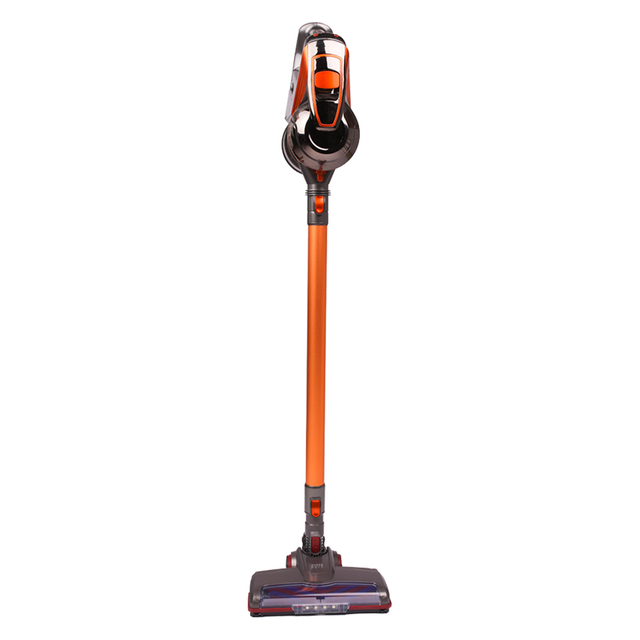
The dyson vacuum cleaner manual dedicates a full section to care and upkeep. Regular maintenance ensures strong suction, longer battery life, and fewer breakdowns. Below are the most important instructions expanded for clarity.
Always empty the bin once dirt reaches the MAX line. Overfilling pushes debris into the filter and forces more frequent cleaning.
● Steps include:Switch off and unplug the vacuum.
● Hold the bin over a trash bag to reduce dust exposure.
● Press the release button firmly until the base opens.
● Wipe with a damp cloth if needed, but avoid detergents.
Never run the clear bin through a dishwasher. Let all parts dry completely before reassembly.
Loss of suction often points to a blockage. The dyson vacuum cleaner manual recommends starting with the hose and wand. Remove them and hold up to the light—if blocked, push out the debris gently using a blunt object.
For brush heads, use a coin to unlock the end cap and slide out the roller. Remove tangled hair and fibers before replacing. Always ensure fasteners are secure before turning the vacuum back on.
Filters should be washed at least once a month or when the display alert appears. Follow these steps:
● Remove the filter by twisting counterclockwise.
● Rinse under cold water until clear.
● Shake gently to release trapped dirt.
● Leave it in an open space to air dry for 24 hours.
Never use dryers, ovens, or heaters to speed up drying. A damp filter can reduce suction and may damage the motor.
These attachments require special attention. For the high torque head:
● Unlock with a coin, remove the roller, and clear debris.
● Wipe the housing with a dry cloth before reassembling.
For the soft roller head:
● Remove the brush bars and rinse under water.
● Let them dry for at least 24 hours upright.
● Do not wash the end cap, as it may corrode.
This care keeps cleaner heads efficient on both carpets and delicate hard floors.
Cordless Dyson vacuums rely on lithium-ion batteries. The dyson vacuum cleaner manual advises charging after each use to keep the algorithm calibrated. Always store the vacuum at room temperature and avoid damp or hot environments.
Tips for better battery life:
● Alternate between multiple batteries if available.
● Use Eco or Auto mode for daily cleaning to extend run time.
● Avoid charging immediately after heavy use; let it cool first.
When parts reach end of life, proper disposal matters. Dyson emphasizes recycling wherever possible. Steps include:
● Remove the battery before discarding the vacuum.
● Take batteries to approved recycling centers.
● Dispose of used filters according to local rules.
Never burn batteries or expose them to fire. Doing so risks explosions or toxic leaks.
Even reliable vacuums face performance issues. The dyson vacuum cleaner manual includes clear troubleshooting steps so users can solve common problems quickly before calling for service.
Weak suction usually means a blockage, dirty filter, or an overfilled bin. Start by emptying the bin, then check the hose and wand for debris. If suction is still poor, wash and fully dry the filter before reuse. Following the manual prevents unnecessary part replacements.
Grinding or rattling sounds often signal trapped objects in the brush head or loose fittings. The manual suggests switching off, unplugging, and inspecting all connections. Tighten loose parts and remove any trapped items. Consistent noise after cleaning may indicate motor wear.
If the brush bar stops spinning, check for hair or fibers wrapped around it. Use scissors carefully to cut away tangles. Some models allow full roller removal by unlocking the end cap. After cleaning, reattach securely to avoid imbalance. The dyson vacuum cleaner manual stresses that damaged rollers should be replaced with genuine parts.
Not every issue can be solved at home. If the vacuum won’t power on, shuts down despite clear filters, or shows repeated error icons, it’s time for professional help. Dyson customer care can confirm warranty coverage and arrange authorized repairs.
The dyson vacuum cleaner manual includes details about warranty and customer care. Knowing these terms helps users protect their investment and avoid unnecessary repair costs.
Most Dyson vacuums include a 2-year warranty, while higher-end or upright models may extend up to 5 years. To activate, owners must register their machine online or by phone. Registration links your serial number to proof of purchase, which speeds up future claims.
Dyson covers defects in materials, workmanship, and function. Free repairs include parts and labor when issues are not caused by misuse. Items usually excluded are:
● Filters and brush bars as normal wear items.
● Damage from liquids, burning objects, or outdoor use.
● Repairs by unauthorized service providers.
Registering ensures Dyson can quickly verify warranty eligibility. It also provides owners with service reminders and product updates. Without registration, claims may require additional proof and processing delays. The dyson vacuum cleaner manual highlights the importance of keeping receipts and recording the serial number.
Dyson offers multiple support options:
● Online support center for manuals, videos, and FAQs.
● Phone helplines for direct troubleshooting.
● Authorized service centers for physical repairs.
When requesting service, always provide your serial number and purchase date. This shortens handling time and ensures accurate part replacement.
A dyson vacuum cleaner manual is essential, but paper copies often get misplaced. Keeping a digital version ensures owners always have quick access when issues arise.
When suction drops or error icons appear, a digital manual can be opened on any device. Users can follow troubleshooting steps instantly without searching for a paper copy. This convenience reduces downtime and avoids unnecessary service calls.
Online manuals are updated more often than printed versions. They may include added tips, revised safety notes, or links to tutorial videos. A digital dyson vacuum cleaner manual helps owners stay aligned with the latest maintenance instructions.
Using digital manuals cuts down on printed materials. It supports eco-friendly practices and reduces storage needs. For organizations managing many Dyson units, digital manuals prevent clutter and streamline staff training.
The dyson vacuum cleaner manual is more than instructions, it ensures safety and long-term performance. Keeping a digital copy makes troubleshooting and maintenance easier, while routine care extends efficiency. Readers should download and follow their manual for the best results. Suzhou SNDVAC Electric Appliance provides innovative cleaning solutions with durable designs, helping users get reliable value and better service support.
A: A Dyson vacuum cleaner manual covers assembly, safety, troubleshooting, and maintenance instructions.
A: You can access a digital Dyson vacuum cleaner manual from Dyson’s official website or by scanning the QR code on your machine.
A: A digital Dyson vacuum cleaner manual ensures quick access during repairs, updates, and sustainability benefits.
A: Yes, the Dyson vacuum cleaner manual explains how to clear blockages, clean filters, and restore suction power.
A: The Dyson vacuum cleaner manual outlines warranty terms, coverage limits, and how to contact customer support.


