
- All
- Product Name
- Product Keyword
- Product Model
- Product Summary
- Product Description
- Multi Field Search
Views: 0 Author: Site Editor Publish Time: 2025-10-09 Origin: Site


Dyson vacuums are powerful, but even the best can fail. Owners often face battery drain, suction loss, or noisy parts. That's why Dyson vacuum cleaner troubleshooting matters. In this guide, you'll learn practical steps for 15 common issues. Always unplug before checking your vacuum for safety.
If your Dyson vacuum refuses to start, don't panic. This is one of the most common situations owners face, and in many cases, it can be solved quickly at home. A systematic approach to dyson vacuum cleaner troubleshooting ensures you identify whether the issue is minor, such as a loose cable, or more serious, like a dead battery.
The first step is always the simplest: confirm the power supply. If your model is corded, check the plug, outlet, and power strip. For cordless models, inspect the charging dock and cable. Try a different outlet to rule out electrical faults. Loose or damaged connections often explain why a vacuum won’t power up.
Checklist:
● Test another device in the same outlet
● Ensure the charger clicks firmly into place
● Look for frayed cords or cracked plastic on plugs
Many Dyson stick vacuums use click-in batteries. If the machine still doesn't start, remove the battery and leave it out for about 15 seconds. Reinsert it firmly until it locks. This process works like a soft reset, clearing small system errors that sometimes prevent the trigger from engaging.
A flashing blue light during charging may indicate the vacuum recognizes the reset, while no light at all suggests deeper battery problems.
If the vacuum remains unresponsive after charging and resetting, the battery may be the culprit. Typical signs include:
● No LED indicator during charging
● Sudden shut-offs even after full charge
● Battery warm to the touch but no power output
At this point, replacement is usually the only solution. Dyson batteries, depending on usage, typically last 2–4 years. Using a genuine battery is important because third-party options may cause compatibility or warranty issues.
When a Dyson loses suction, cleaning performance drops dramatically. This issue is one of the top reasons people search for dyson vacuum cleaner troubleshooting guides. Suction loss is often tied to airflow restrictions, clogged filters, or even worn seals. By checking each possible cause step by step, you can quickly restore your machine to normal performance.
A full bin restricts airflow, reducing suction power. Empty the bin once it reaches the “max” line instead of waiting until it is packed full. Tap the cyclone unit gently to dislodge trapped dust, and wipe around the bin’s edges to remove fine particles. Overfilling can also stress the motor, leading to overheating.
Even small obstructions can cut suction by half. Detach the wand, hose, and cleaner head, then shine a flashlight through each section. If light does not pass through easily, there may be a blockage. Common culprits include pet hair, paper scraps, or debris wedged in bends. Use a broom handle or pipe cleaner to push clogs out carefully.
Checklist:
● Remove large debris by hand
● Check roller head tunnels
● Ensure air pathways are completely clear
Filters are critical for airflow. When they become clogged, suction decreases, and the battery drains faster. Most Dyson filters are washable—rinse under cold water until the water runs clear, then air-dry for at least 24 hours. For older or heavily used models, replacement may be necessary. A fresh filter restores suction almost instantly.
Air leaks caused by small cracks or damaged seals reduce suction efficiency. Run your hand along the hose while the vacuum is running to feel for escaping air. Inspect rubber gaskets around the bin and motorhead for wear. If you notice tears or brittleness, replacement parts are usually available online or directly from Dyson.
If airflow is clear and filters are clean but suction is still weak, the motor could be wearing out. Signs include a whistling noise, burning smell, or vibration. At this stage, dyson vacuum cleaner troubleshooting may not be enough. Professional repair or motor replacement may be the only options.
Regular upkeep keeps your Dyson running at peak performance:
● Empty the bin before it reaches the "max" line
● Wash filters monthly or as recommended
● Store vacuum in a cool, dry place
● Inspect hoses and seals quarterly
● Schedule professional servicing if motor noise increases
Cause | Symptom | Quick Fix |
Full dust bin | Weak suction, overheating | Empty and wipe bin |
Blocked hose or wand | No airflow in sections | Remove clog using tool or stick |
Dirty or clogged filter | Reduced power, battery drain | Wash or replace filter |
Cracked hose or worn seal | Air leaks, inconsistent power | Replace hose or gasket |
Failing motor | Whistling or burning smell | Seek professional repair |
Note: For facilities teams, documenting regular filter changes and hose inspections reduces repair costs and prolongs vacuum life.
Power issues are among the most frequent reasons people look for dyson vacuum cleaner troubleshooting tips. The battery is the heart of any cordless Dyson, and when it fails, cleaning becomes frustrating. Understanding the signs of battery trouble helps you decide whether to reset, recharge, or replace.
If your Dyson runs only a few minutes before shutting off, the problem may not always be the battery itself. A clogged filter or blocked airway forces the motor to work harder, which drains power quickly. Start by cleaning the filter and checking for obstructions. If airflow is clear, then age or heavy use may have reduced the battery's capacity. Most Dyson batteries last two to four years depending on usage.
Quick tips to extend runtime:
● Always fully charge before long cleaning sessions
● Avoid leaving the vacuum stored in very hot or cold places
● Switch to lower suction modes when possible to save energy
When you connect the charger and the LED light doesn't blink or fade, charging isn't happening. First, check the outlet and charger for damage. Using a third-party charger may also cause problems, since Dyson batteries are designed for their own charging systems. If the LED flashes rapidly, it could point to a clog or motor issue rather than the charger. A solid amber light often means the battery is too hot or too cold to charge safely—wait until it reaches room temperature before trying again.
Checklist for charging issues:
● Test charger in another outlet
● Inspect charging contacts for dirt or corrosion
● Allow battery to cool or warm to room temperature
● Try a reset by removing and reinserting the battery
Even with good maintenance, batteries eventually wear out. Signs it's time for a replacement include:
● No LED activity when charging
● Vacuum dies suddenly despite a full charge
● Battery becomes swollen or warm during charging
● Runtime consistently drops under 5 minutes
Replacing the battery is straightforward on most models with click-in designs. Always choose a genuine Dyson battery, since off-brand parts may lead to compatibility problems or void warranties.
The brush bar and motorhead are essential for cleaning carpets and picking up hair or fine dust. When these parts fail, suction alone cannot provide a deep clean. Many people look for dyson vacuum cleaner troubleshooting advice because the brush stops spinning, the head makes strange noises, or power seems inconsistent. Addressing these problems early prevents more costly repairs.
Hair, string, and pet fur often wrap tightly around the brush bar, preventing it from rotating. To fix this, turn the vacuum off and remove the cleaner head. Use scissors to carefully cut away tangles without damaging the bristles. Check both ends of the bar where bearings can become clogged with lint. In severe cases, removing the entire bar may be necessary to clean it thoroughly.
Quick steps:
● Detach motorhead and locate the brush bar
● Cut away wrapped hair or threads
● Wipe bearings with a dry cloth
● Reassemble and test for smooth spinning
If the brush bar still won't spin after cleaning, the problem may lie with a broken drive belt or faulty electrical contacts. Belts can stretch or snap over time, reducing power transfer from the motor. On some models, belts are not user-replaceable and require professional service. Electrical contacts between the vacuum body and motorhead should also be inspected. Dust or corrosion can block current flow, preventing the brush motor from engaging. Clean contacts with a soft, dry cloth and check alignment before reconnecting.
Clicking, rattling, or grinding noises from the motorhead are warning signs. They may indicate worn bearings, debris stuck in gears, or motor wear. A rattling noise often means loose screws or misaligned parts inside the head. Grinding or high-pitched squeals usually point to a failing motor. Continued use under these conditions can cause permanent damage, so stop and investigate immediately. If cleaning and tightening don't resolve the problem, a replacement motorhead may be needed.
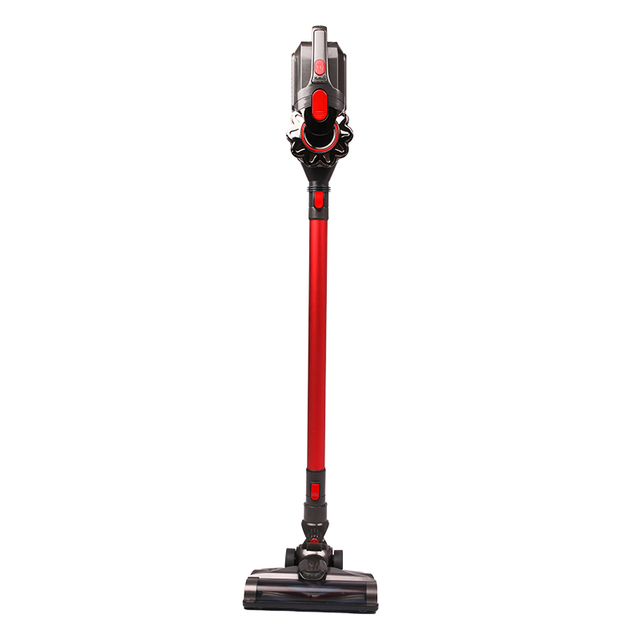
When your Dyson vacuum pulses or shuts off mid-clean, it's a clear sign something is wrong. These symptoms often drive users to search for dyson vacuum cleaner troubleshooting, since they can be frustrating and disruptive. The good news is that pulsing and overheating usually point to fixable issues rather than permanent damage.
Pulsing feels like the vacuum is rapidly starting and stopping. This is Dyson's way of signaling a restriction in airflow. Blocked filters, clogged hoses, or an overfilled dust bin are the most common triggers. By pulsing, the vacuum protects its motor from overheating.
Steps to check when pulsing occurs:
● Empty the dust bin completely
● Wash and dry the filter for 24 hours
● Inspect the hose and wand for lodged debris
● Remove tangled hair from the brush bar
If pulsing continues after cleaning, the issue may be electrical or motor-related, requiring professional service.
Dyson vacuums have built-in sensors that detect when the motor gets too hot. When triggered, the thermal cut-off switch shuts the vacuum down to prevent permanent damage. Overheating often happens if airflow is restricted or if the machine has been used on maximum power for too long.
Signs of overheating include:
● Vacuum suddenly powers off mid-use
● A warm smell from the motor area
● Long cooldown times before it will restart
Let the machine rest for at least one hour before restarting. To prevent repeat shutdowns, clean filters regularly and avoid using max mode for extended periods.
Loss of airflow is the main cause of both pulsing and overheating. Simple maintenance prevents these issues from becoming recurring problems.
Checklist for airflow troubleshooting:
● Remove and rinse filters monthly
● Inspect hoses and extension tubes quarterly
● Keep brush bars free from hair and dust
● Store vacuum in a cool environment to avoid heat stress
A Dyson that refuses to charge can be just as frustrating as one that loses suction. Many dyson vacuum cleaner troubleshooting cases point back to issues with the charger, dock, or charging port. Addressing these areas step by step ensures your vacuum always has power when you need it.
The first step is to confirm that the charger and dock are in good working order. Plug the charger directly into a known working outlet and see if the LED lights on the battery respond. If nothing lights up, test the dock with another compatible Dyson vacuum, if available. Physical inspection also helps—look for bent pins, melted plastic, or frayed cords. Even a small crack in the dock can stop the battery from making proper contact.
Checklist:
● Plug into a different outlet
● Check charger cable for damage
● Test dock with another vacuum (if possible)
● Inspect LED indicators for charging response
Not all chargers are created equal. Using third-party or off-brand chargers may seem convenient, but they can cause poor charging performance or even damage the battery over time. Genuine Dyson chargers are calibrated to deliver the right voltage and current. If you suspect your charger is not original, check for Dyson branding, serial numbers, and build quality. Replacing a non-genuine charger often resolves charging failures immediately.
If the charging port inside the vacuum or the wall-mounted dock is damaged, charging will stop altogether. Signs of port damage include loose connections, sparks, or the plug falling out easily. Unfortunately, port repairs are not always user-serviceable. In many cases, you will need a replacement dock or professional servicing for the vacuum body.
Unusual noises or odors are early warning signs that your Dyson needs attention. Many users search for dyson vacuum cleaner troubleshooting when they hear rattling or smell burning, but these symptoms don't always mean the vacuum is broken beyond repair. Often, the solution is as simple as tightening loose screws or clearing trapped debris.
A humming sound is normal, but rattling or clunking usually points to loose parts. Check screws around the cleaner head and wand, then shake the vacuum gently to listen for shifting components. If the sound is more like grinding or high-pitched squealing, it could mean the motor bearings are wearing out. Motors have a finite lifespan, and heavy use accelerates wear. A worn motor often requires professional replacement rather than a DIY fix.
Dust, hair, or small objects can get stuck in the fan housing or rollers, creating clicking or buzzing sounds. To troubleshoot, turn the vacuum off, remove the brush bar, and inspect the fan intake. Use tweezers or compressed air to remove lodged debris. Also check rollers—plastic or rubber rollers can squeak when coated with dirt. Cleaning them restores smooth rotation and reduces vibration.
Checklist for noise from debris:
● Remove brush bar and clear hair
● Inspect fan housing with a flashlight
● Use compressed air to dislodge fine dust
● Spin rollers manually to confirm smooth motion
A faint warm smell is normal after long use, but a strong burning odor signals a problem. Common causes include tangled brush bars straining the motor, overheating belts, or electrical shorts. If the vacuum shuts down and emits smoke or a plastic smell, unplug it immediately. Let it cool before inspecting. Replace damaged belts or seek service for electrical faults, as continued use could cause permanent damage.
Modern Dyson vacuums use LED lights to communicate problems. For many owners, understanding these signals is the first step in dyson vacuum cleaner troubleshooting. The colors and patterns help identify whether the issue is a simple fix or something requiring professional repair.
● Blue light (flashing quickly): Often means low battery or airflow blockage. Check for clogs and recharge fully.
● Solid blue light: Battery is charging correctly.
● Amber light: Battery is too hot or too cold to charge safely. Let it return to room temperature.
● Red light (flashing): Critical fault, such as a failing battery or motor error. This usually requires replacement parts.
Different generations have slightly different signals, but many follow the same logic:
● V6–V8: Rapid blue flashes = no charge left. Flashing red = fault.
● V10–V11: Solid amber while charging = temperature issue. Flashing red multiple times = battery problem.
● V15: Detailed light sequences, often combined with LCD error messages that explain the exact fault.
If the light patterns persist after cleaning filters, clearing blockages, and resetting the battery, the fault is more serious. Repeated flashing red or amber even on a new battery may point to motor or circuit board damage. At that stage, contact Dyson support or an authorized repair service. Continuing to use the vacuum can worsen the damage or void the warranty.
This guide covered dyson vacuum cleaner troubleshooting for 15 common issues, from suction loss to battery faults. Regular maintenance like cleaning filters and checking blockages helps extend performance. Users should attempt basic fixes but contact Dyson support or certified repair services if problems persist. Suzhou SNDVAC Electric Appliance offers reliable products with advanced features, helping customers achieve long-lasting efficiency and value.
A: Dyson vacuum cleaner troubleshooting is the process of identifying and fixing issues like suction loss, battery faults, or brush bar problems.
A: Pulsing often signals airflow blockages. Basic dyson vacuum cleaner troubleshooting includes emptying the bin and cleaning filters.
A: If it won't hold charge or shows flashing red lights, follow dyson vacuum cleaner troubleshooting steps before considering a new battery.
A: Yes, simple dyson vacuum cleaner troubleshooting like checking outlets or cleaning contacts often works, but damaged ports may need service.


