
- All
- Product Name
- Product Keyword
- Product Model
- Product Summary
- Product Description
- Multi Field Search
Views: 0 Author: Site Editor Publish Time: 2025-09-24 Origin: Site


Is your Dyson losing power or making noise? Many owners face these issues, but replacing your vacuum isn't always the answer. Simple DIY steps can save money and extend its life. In this guide, you'll learn safe ways to attempt a dyson vacuum cleaner fix and tackle common problems with confidence.
Dyson vacuums are powerful, but even the best models can run into problems after regular use. Knowing the most frequent issues helps you handle a dyson vacuum cleaner fix quickly and without stress. Below, we'll walk through common problems that most owners face and show you where to start troubleshooting.
Loss of suction is the number one complaint for many Dyson owners. This usually comes from clogged filters, a full dust bin, or a blocked hose. Dust and hair often settle deep in the airflow path, reducing cleaning performance. To fix it, check the bin first, then wash or replace filters, and finally inspect hoses for hidden debris.
A brush bar that stops working means dirt stays on your carpet. Hair and string are the main causes of jams. If the brush bar does not spin freely, turn off the vacuum, cut away tangled fibers, and check the drive belt. Sometimes, a stretched or broken belt will need replacing. Doing this small dyson vacuum cleaner fix keeps carpets fresh and free of trapped dirt.
If your Dyson makes grinding or rattling sounds, it's a red flag. Worn bearings or trapped debris in the brush head often cause noise. A burning smell may point to a slipping belt or a stressed motor. Always unplug the vacuum before inspecting. Quick action prevents bigger repairs later.
Sometimes the vacuum won't power on at all. Overheating is common, and many models include an auto-shutoff for safety. Let the vacuum cool down, clean filters, and check for clogs. If it still won't start, inspect the power cord for wear or test the fuse. Cordless models may need a new battery if charging no longer restores full power.
Restoring suction is the most common dyson vacuum cleaner fix. Suction loss makes cleaning harder, but in most cases, the problem is simple to solve. Below are seven clear steps you can follow at home before calling a repair service.
A full or dirty bin restricts airflow. Always empty the bin when dirt reaches the "MAX" line. Tap the container gently to remove stuck dust. Wipe the inside using a damp cloth and let it dry fully before replacing.
Filters capture fine dust but clog quickly. Remove both pre-motor and HEPA filters, rinse them under cold water, and let them dry for at least 24 hours. If they are damaged or worn, replace them with genuine Dyson parts for best results.
Hoses often trap socks, pet hair, or clumps of debris. Detach the hose and look through it against a light source. Push a flexible brush or rod through to remove any blockages. Check all tools and the wand since small obstructions can reduce performance.
Air leaks reduce suction even if the filters are clean. Inspect seals around the dust bin, filter housing, and hose connections. If rubber gaskets look cracked or loose, order replacements. Airtight seals are key to efficient airflow.
A loose or broken belt prevents the brush roll from rotating. Unplug the vacuum, remove the soleplate, and check belt tension. Replace belts that appear stretched, frayed, or cracked. A new belt restores brush rotation and improves dirt pickup.
Hair and threads often tangle around the brush roll. Remove the roll, cut away tangles, and check that it spins freely. If bearings feel stiff, apply a small amount of silicone-based lubricant. Smooth rotation keeps suction consistent across surfaces.
If the vacuum still lacks suction after these steps, the motor or fan may be failing. Signs include burning smells, rattling, or overheating. At this stage, contact a professional technician to avoid further damage.
Step | Task | DIY Action |
1 | Empty bin | Clean and dry before reattaching |
2 | Wash/replace filters | Rinse under cold water, air dry 24 hrs |
3 | Check hoses/attachments | Remove clogs using flexible rod |
4 | Inspect seals | Replace cracked gaskets |
5 | Check/replace belt | Install new belt if worn |
6 | Clean brush roll bearings | Remove hair, lubricate if stiff |
7 | Suspect motor issue | Seek professional service |
The brush roll and belt work together to keep floors clean. When either fails, dirt stays behind. This section shows how to identify issues and complete a simple dyson vacuum cleaner fix at home.
Hair and fibers easily wrap around the brush roll. This causes it to slow down or stop completely. To check, unplug the vacuum and flip it over. Use scissors to cut away tangled hair, and pull out any debris by hand. If the brush roll still feels stiff, remove it and clean the ends. A free-spinning brush roll restores deep cleaning on carpets.
A stretched belt makes the brush bar turn slowly. A broken belt means the bar won’t move at all. Other signs include burning smells or loud squeaking noises. If you notice these symptoms, inspect the belt immediately. Keeping spare belts on hand allows for a quick replacement without waiting for delivery.
Replacing a belt is one of the easier fixes. You'll need:
● A screwdriver to remove the soleplate
● A replacement belt compatible with your Dyson model
● Scissors for cleaning tangled fibers
Steps:
1. Unplug the vacuum and lay it flat.
2. Remove the soleplate to access the brush roll.
3. Take out the brush roll and slide off the old belt.
4. Loop the new belt over the motor spindle.
5. Reinsert the brush roll and ensure the belt is taut.
6. Replace the soleplate and test the vacuum.
A correct belt installation ensures the brush roll spins at full speed, boosting suction and cleaning power.
Cords and hoses take heavy wear during daily use. Cracks, frays, or breaks can make your Dyson unsafe or reduce suction. Knowing how to handle these parts is an essential dyson vacuum cleaner fix that extends machine life and avoids costly replacements.
A frayed cord is a safety hazard and should never be ignored. Start by unplugging the vacuum and removing the dust bin and wand. Locate the screws near the switch cover and carefully detach it. Disconnect the wires from the old cord by gripping the connectors, not the cable itself. Insert the new cord, reconnect wires, and secure the cover. Test the vacuum to confirm proper function. Always use cords designed for your Dyson model to prevent overheating.
A cracked hose reduces suction and makes cleaning less effective. To remove it, release the latch behind the dust bin, then detach the hose from the wand. Align the new hose with the connection tabs and click it into place. Reattach the bin and wand. Replacement hoses slide on easily and restore strong airflow. Many models allow for quick swaps without tools, making this one of the easiest fixes you can perform at home.
Simple habits can extend the life of cords and hoses. Avoid pulling the vacuum by its cord, and don’t wrap cords too tightly. Store the vacuum in a dry space to prevent cracking from humidity or heat. Keep hoses free of sharp bends and remove debris before it hardens inside. These small steps prevent breakdowns and reduce repair frequency.
Cordless Dysons are convenient, but their batteries wear down over time. A weak or dead battery often leads to poor suction or short run times. Understanding when to reset, recharge, or replace is key to a reliable dyson vacuum cleaner fix for these models.
Sometimes the vacuum shuts down suddenly even with a full charge. This may be a sign of overheating or a software glitch, not a dead battery. A reset can help: disconnect the battery, press and hold the power button for 20 seconds, then reattach and recharge fully. If the battery still won’t hold power, replacement is the only solution. Signs of replacement include reduced runtime, slow charging, or swelling of the pack.
Battery care extends the life of cordless models. Always use the official charger, and avoid overcharging. Unplug the vacuum once it’s fully charged. Store it in a cool, dry place away from direct sunlight or damp air. For long breaks, keep the battery at about 40–60% charge. These habits prevent premature wear and reduce the need for frequent repairs.
Generic batteries may look cheaper, but they risk overheating or damaging the motor. Always choose a genuine Dyson battery matched to your model. They come with built-in safety circuits and are tested for performance. Installing one is straightforward: remove the screws holding the old pack, slide it out, and attach the new unit. Genuine replacements ensure consistent suction and safe operation.
Issue | Likely Cause | Recommended Fix |
Short run time | Worn-out battery | Replace with genuine Dyson pack |
Sudden power cut | Overheating or glitch | Reset battery, cool down unit |
Not charging properly | Charger or port issue | Check charger, replace battery |
Swollen battery | Battery failure | Replace immediately |
Note: Cordless vacuums lose about 20% battery capacity each year under heavy use.
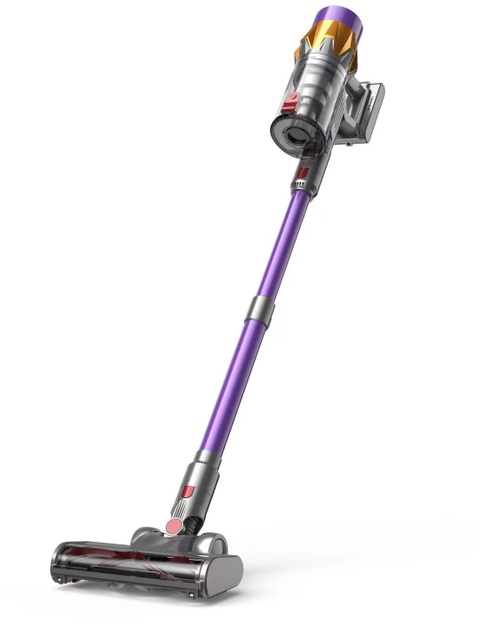
A reliable dyson vacuum cleaner fix starts with prevention. Simple routines keep parts in top shape and reduce the chance of breakdowns. By following a schedule, you’ll save time and avoid costly service visits.
Filters trap fine dust but clog over time. Wash the pre-motor filter once a month under cold water, and let it dry for 24 hours before reuse. Check the HEPA filter every six months and replace it if airflow feels weak. Clean filters protect the motor, improve suction, and reduce allergens in the air.
A brush roll packed with hair cannot lift dirt properly. Inspect it once a month. Unplug the vacuum, remove the roll, and cut away hair or threads. Spin it by hand to check for smooth rotation. If bearings feel stiff, add a drop of silicone lubricant. This step is quick and extends the life of belts and motors.
How you store the vacuum matters. Keep it in a cool, dry area away from heat or moisture. For cordless models, avoid leaving the battery fully drained. Store at 40–60% charge if unused for weeks. Also, make sure the bin seals are not pressed or warped during storage. Good storage habits keep suction strong and prevent gasket leaks.
Most owners can handle clogged hoses or dirty filters. But some issues go beyond simple tools. Knowing when a dyson vacuum cleaner fix requires professional help saves time and prevents bigger damage.
A healthy Dyson motor runs smoothly and quietly. Warning signs include rattling noises, burning smells, or the vacuum cutting out repeatedly. If the motor sparks, overheats, or fails to start after basic checks, it's failing. Electrical faults may also show as flickering power, tripped breakers, or a dead control board. These issues demand skilled diagnosis.
Replacing a cord or hose is safe, but opening the motor housing is risky. Motors combine wiring, bearings, and fans that require precision. DIY attempts can void your warranty and even create fire hazards. Electrical mistakes may also damage nearby components. While it's tempting to try, repairs beyond filters, belts, or hoses are better left to experts.
Professional technicians offer more than just replacement parts. They have diagnostic tools to pinpoint issues quickly. Service centers use genuine Dyson components, ensuring compatibility and safety. Repairs done by experts often include warranties, giving peace of mind. For older vacuums, a technician can also advise whether repair or replacement is the smarter investment.
This article reviewed common Dyson issues and shared step-by-step repair methods. A simple dyson vacuum cleaner fix can restore suction and extend lifespan. DIY care works for filters, hoses, and belts, while complex motor or electrical faults need experts. For lasting value, Suzhou SNDVAC Electric Appliance provides reliable products designed for performance and durability, helping users keep cleaning efficient and cost-effective.
A: The most common dyson vacuum cleaner fix is restoring suction by cleaning filters, hoses, and the dust bin.
A: If the brush bar stops spinning or you smell burning rubber, a dyson vacuum cleaner fix often involves replacing the belt.
A: Minor resets and battery swaps are simple, but electrical faults require a professional dyson vacuum cleaner fix.
A: Yes, a basic dyson vacuum cleaner fix like filter cleaning or hose replacement costs less than service center repairs.
A: Persistent issues may mean worn seals or motor problems, requiring a more advanced dyson vacuum cleaner fix.


